|
|
You probably know that Crtl/Cmd J copies and pastes the pixels from one layer to another layer.
But, do you know what Shift Ctrl/Cmd J does? It cuts and pastes pixels from one layer to another. So, how does this help you? Let's take a look.
- You can select part of a word strip, then press Shift Ctrl/Cmd J to cut and paste the selected pixels onto a new layer. Now you can transform and reposition the new layer.

- You can select part of a leaf grouping, then press Shift Ctrl/Cmd J to cut and paste the selected pixels onto a new layer. Now you can transform and reposition the new layer.

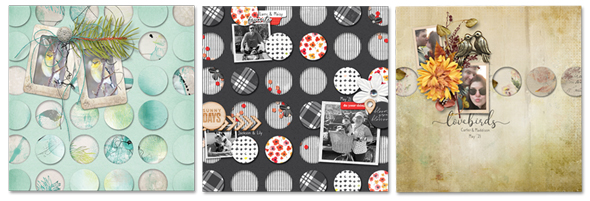
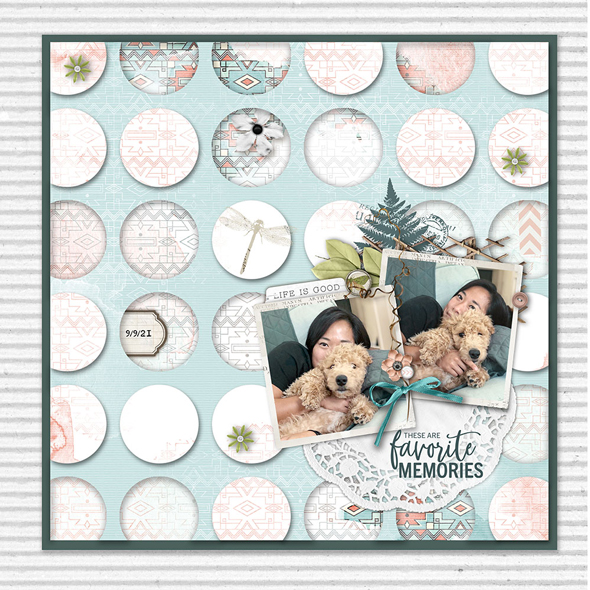
And this is just the tip of the iceberg. In Volume 6 of Premier 2021, we use the Shift Ctrl/Cmd J shortcut to create a Dip & Dots Background.
You'll find the details of this volume below. Volume 6 is 30% off during the month of February 2022.
Love and creative success,
Jen White, Owner & Instructor
P.S. The header above was created using Waiting for the Sun by Red Ivy Designs. The elements used in the examples above are from P.S. I Love You by Vicki Robinson.
Digital Scrapper Premier 2021, Volume 6
Premier 2021, Volume 6, includes:
-
Lesson 1: Dip & Dots Background by Jen White
-
Lesson 2: Variations & Quick Steps by Jen White
-
Lesson 3: Wire Title by Jen White
-
Lesson 4: Big Print Pattern by Jen White
-
Mega Pack of Supplies: Printable Bookmarks, 4 classic background papers, 4 grayscale templates, 1 pattern, 2 styles, 12 date stamps, 1 editable date stamp
-
Watch Me Scrap by Julie Singco
-
Closed-captioned videos, step-by-step PDF manuals
-
Private Forum & Gallery
-
Instant & Forever Access, Our Satisfaction Guarantee
Spectacular Pages from the Galleries
Template: Digital Scrapper Premier 2021, Volume 6
Class: DS Premier 2021, Volume 6: Dip and Dots
|
|
|
|
|
|