Learning something new, NEVER gets old!
I’ve been using Photoshop & Photoshop Elements for 13+ years now.
And just last week, I learned something new — not new to Photoshop, just new to me.
Do You Know…
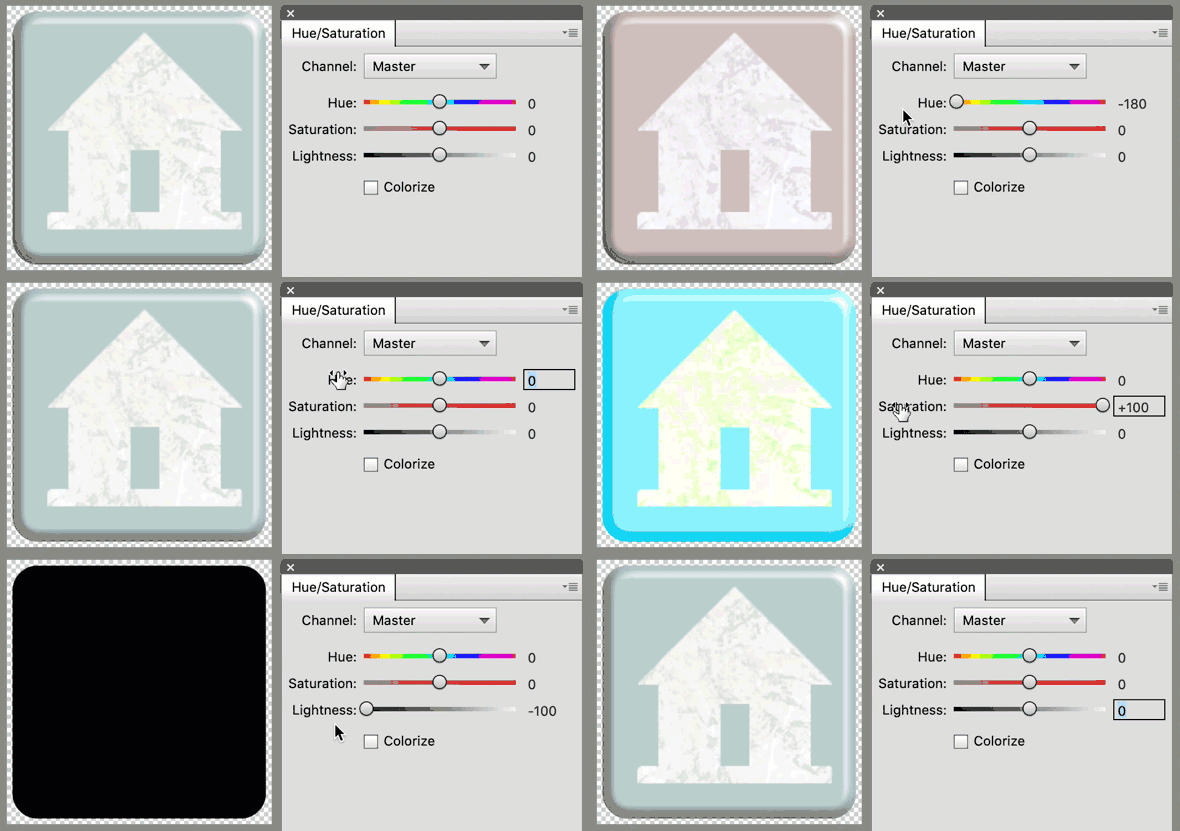
If you double click on the name of a slider, the slider will reset to its default value.
Let’s try it.
-
Open an element, paper, or photo (File > Open). I’m using an element from No Matter When by Karen Schulz.
-
In the Layers panel, click on the Add New Fill or Adjustment Layer icon and choose Hue/Saturation.
-
In the Hue/Saturation (Properties) panel, move the Hue slider all the way to the left.
Just for kicks and giggles, let’s decide we hate the new color.
Here’s the new trick I learned: